Product
One place for the work behind the advice.
Advorra covers the operating side of an independent RIA, from the first conversation with a prospect to the quarterly bill. Here is each part, on real screens.
Real product screens, shown with a fictional demo firm
01 · Clients and households
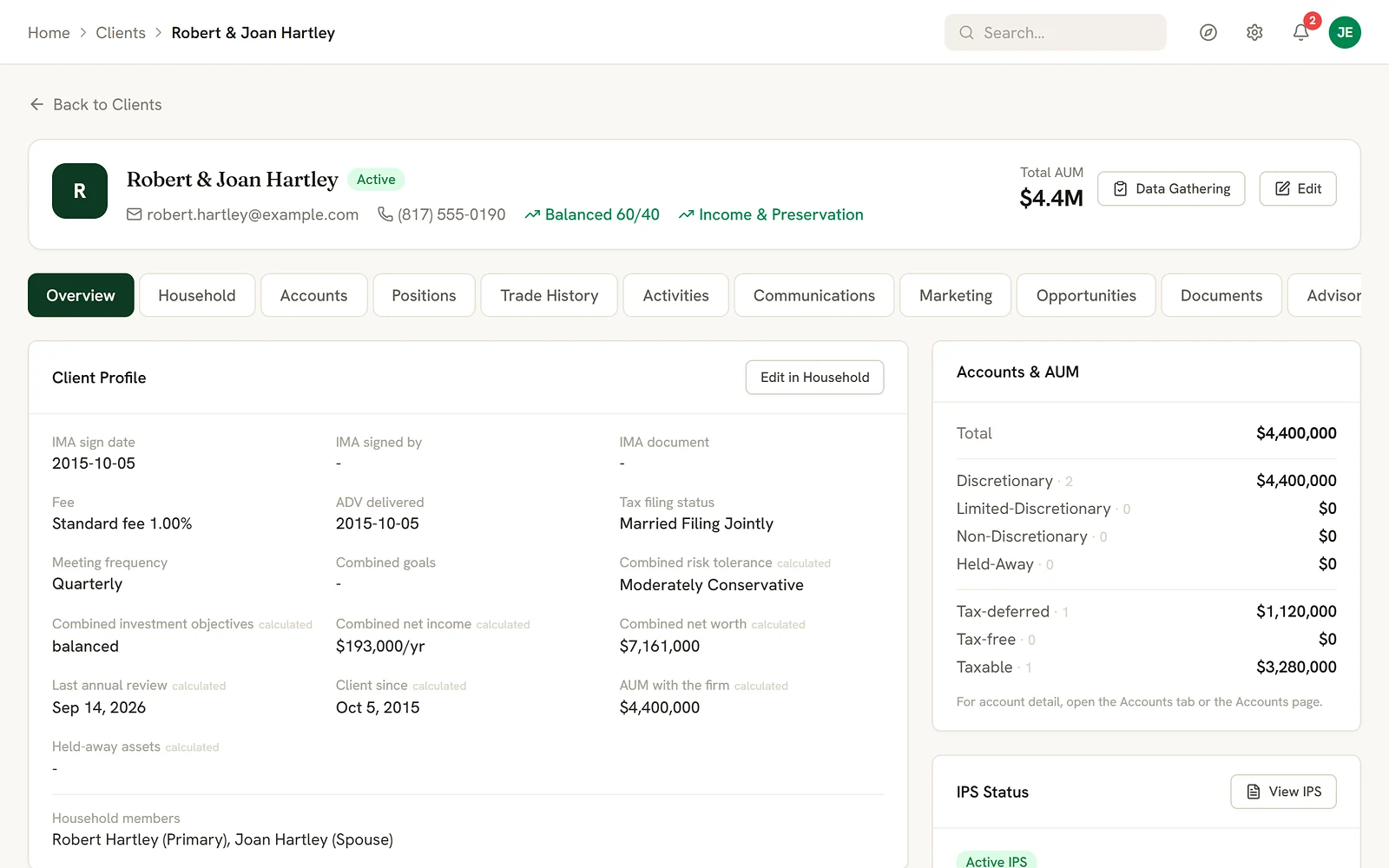
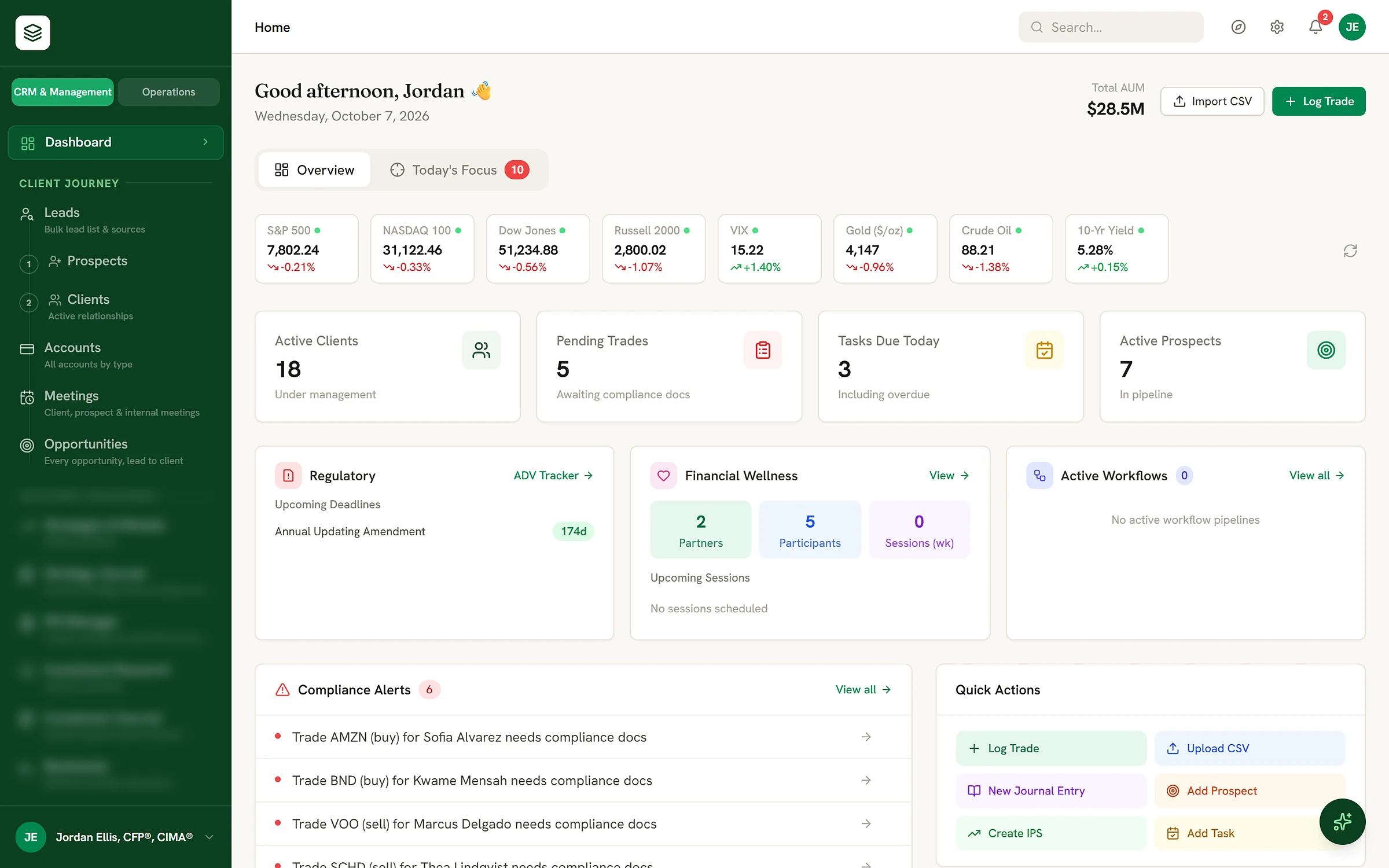
Every household on one page.
- Usually
- A client's picture is spread across the CRM, the custodian and a folder of PDFs, so preparing for a review means rebuilding it.
- In Advorra
- Each household shows its members, accounts and assets, the strategy on each account, the IPS status, meetings, communications and open tasks.
- Result
- The picture you want before the client sits down, without opening another system.
02 · Accounts and returns
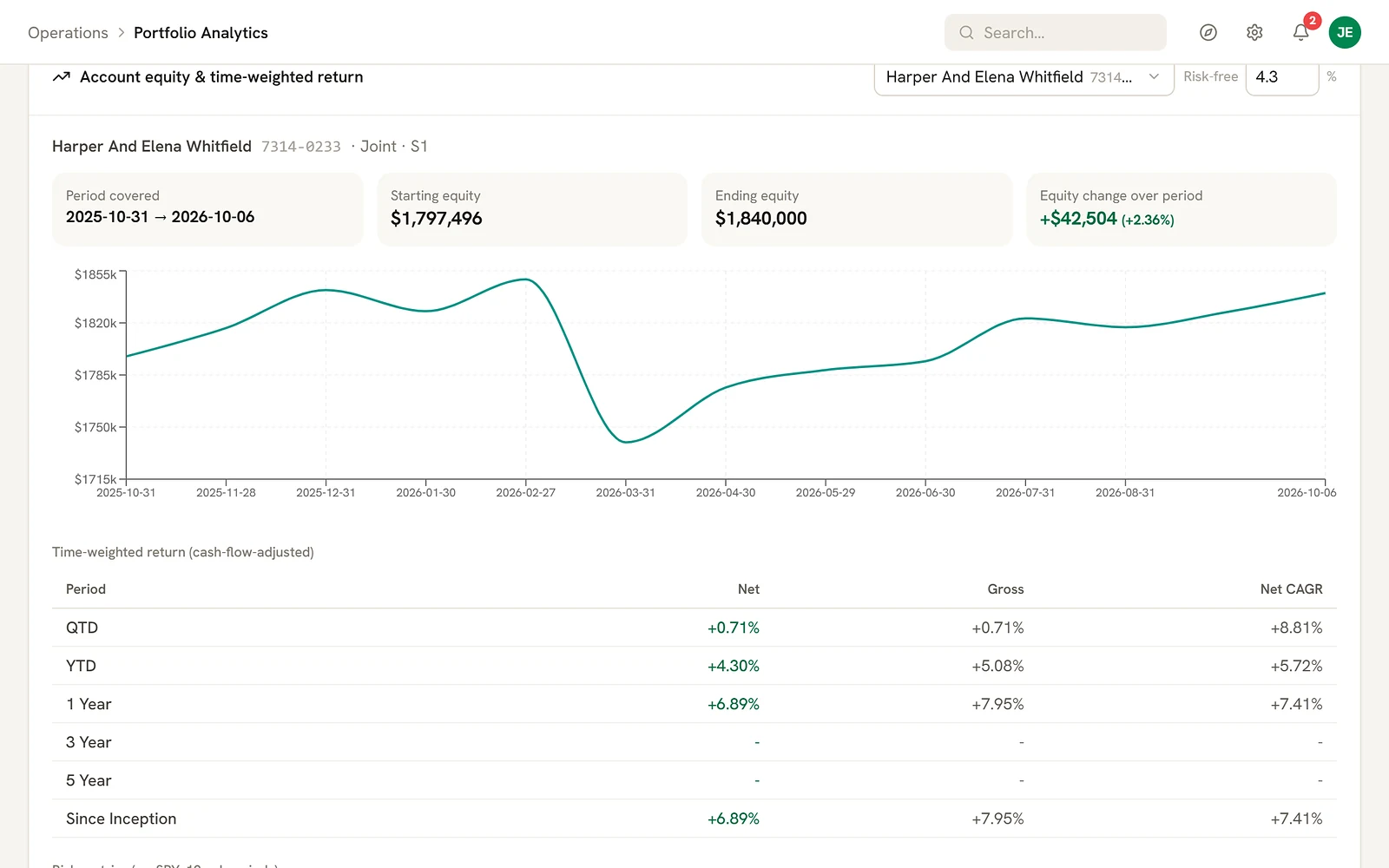
Every account, and how it is doing.
- Usually
- Account data sits at the custodian, and performance gets pieced together in a spreadsheet.
- In Advorra
- Accounts come in from your custodian's account files and are assigned to households and strategies. Holdings, gains and time-weighted returns, net and gross of fees, follow account by account.
- Result
- Where each account stands, next to the client it belongs to.
03 · Strategies and models
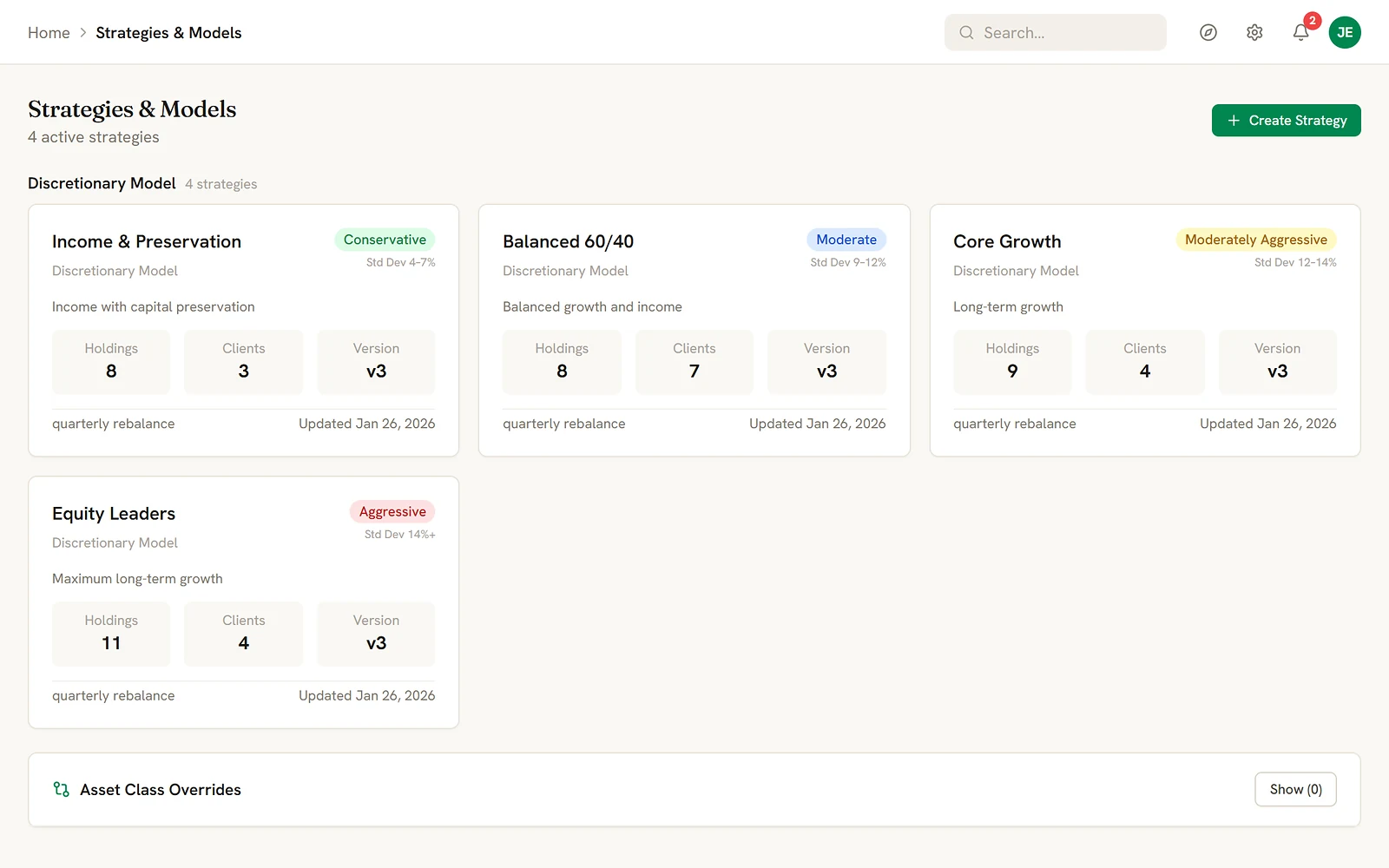
Models the whole book follows.
- Usually
- Model portfolios live in a spreadsheet, and nobody can say for certain which clients are on which version.
- In Advorra
- Each strategy carries its risk level, holdings, rebalance schedule and version, with the clients assigned to it. A rebalance tracker shows which accounts are due and which have drifted.
- Result
- One definition of each model, and a clear list of the accounts that need attention.
04 · Trading
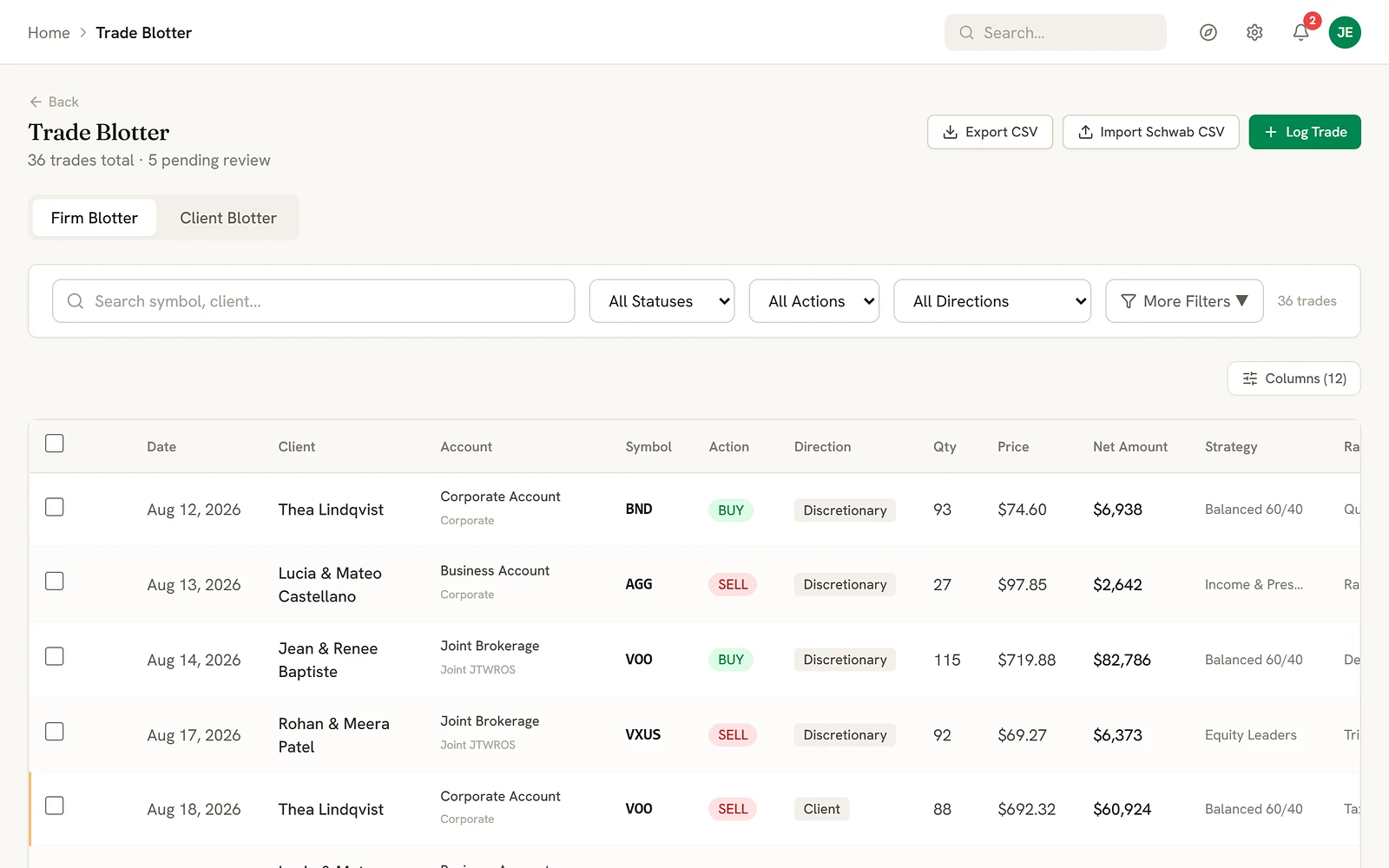
The reason travels with the trade.
- Usually
- Trades get placed at the custodian and the reasoning stays in someone's head, or an email.
- In Advorra
- Each trade is recorded with the client, account, direction and strategy behind it, and the reason for a change is written down before anyone trades.
- Result
- A trade record you can explain line by line, months later.
05 · Investment policy statements
Every IPS, current and signed.
- Usually
- Policy statements drift out of date, and finding the signed copy means a search through shared drives.
- In Advorra
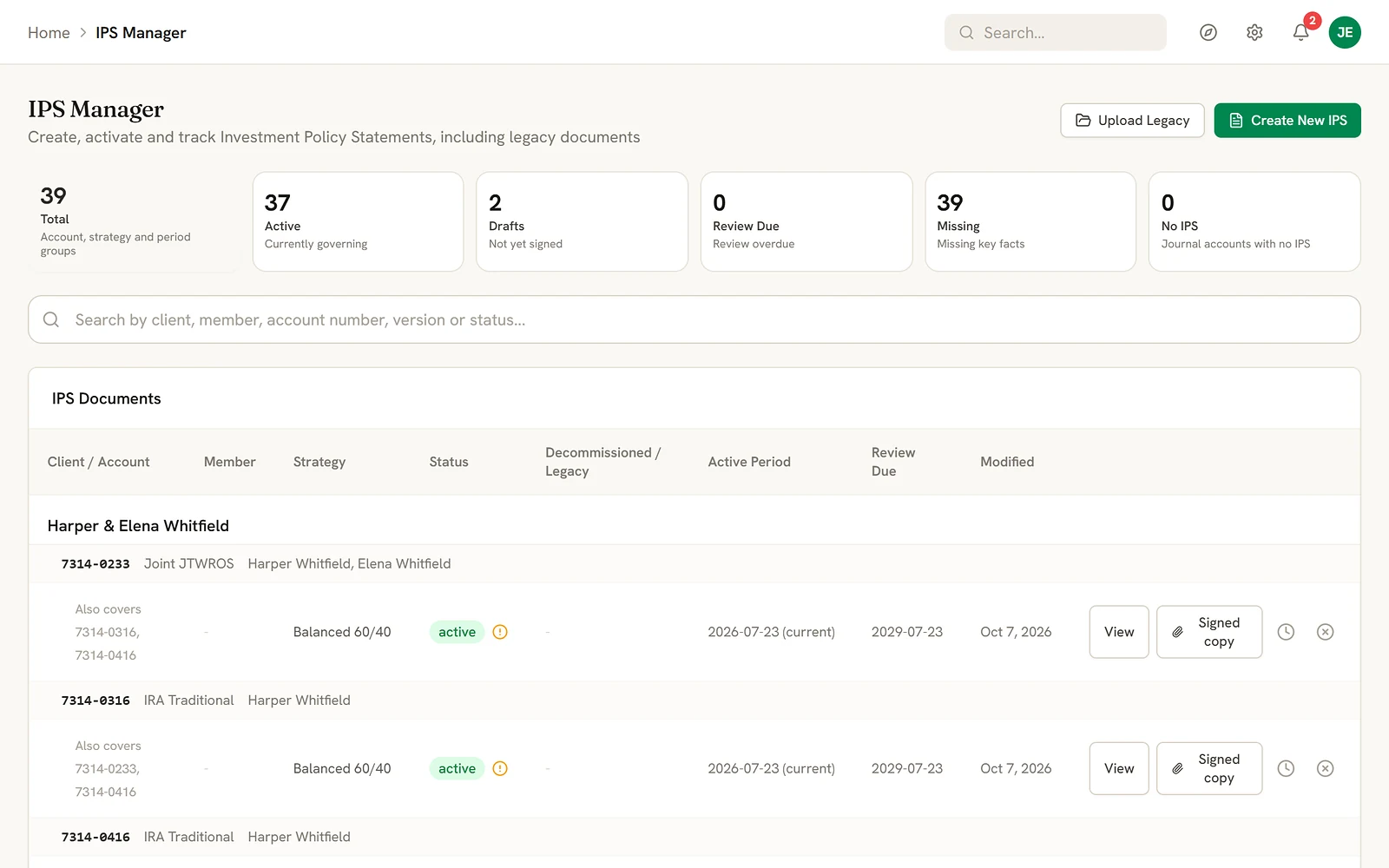
- Each account's IPS is drafted from its strategy, followed from draft to active to review, and kept with the signed copy. Older statements can be uploaded alongside.
- Result
- You know which statements are current, which are drafts and which are due a review.
06 · Compliance
Compliance kept as part of the work.
- Usually
- Compliance tasks live in calendar reminders and a binder, apart from the decisions they relate to.
- In Advorra
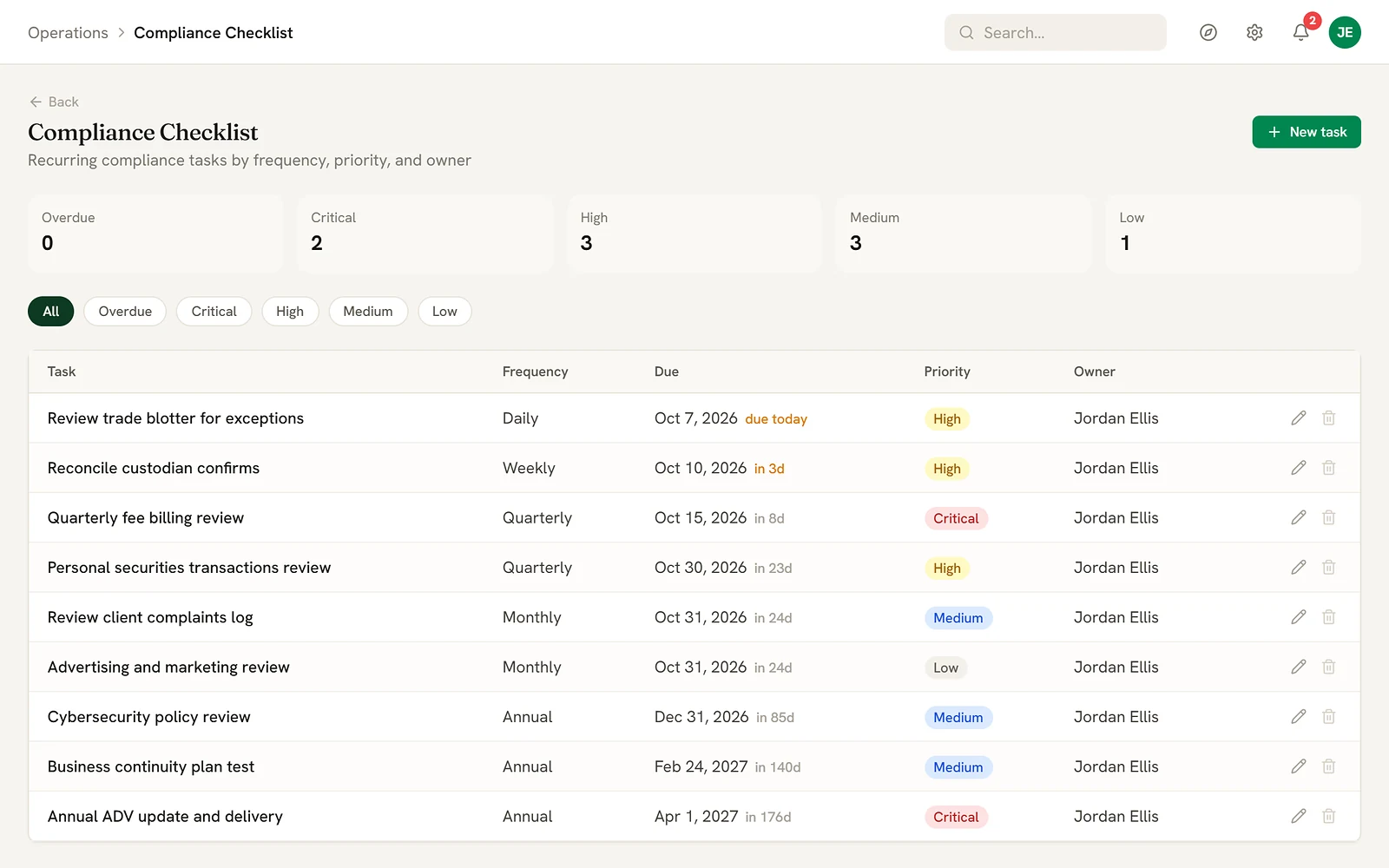
- Recurring tasks are set by frequency, priority and owner. Procedures, policies, incident and complaint logs, personal trading and contract reviews sit in one place, beside the client and trade records they concern.
- Result
- What is due, what is overdue, and a record of what was done. Advorra keeps the records; your compliance consultant still gives the advice.
07 · Billing
Quarterly bills, checked before they go out.
- Usually
- Fees are worked out in a spreadsheet only one person fully understands.
- In Advorra
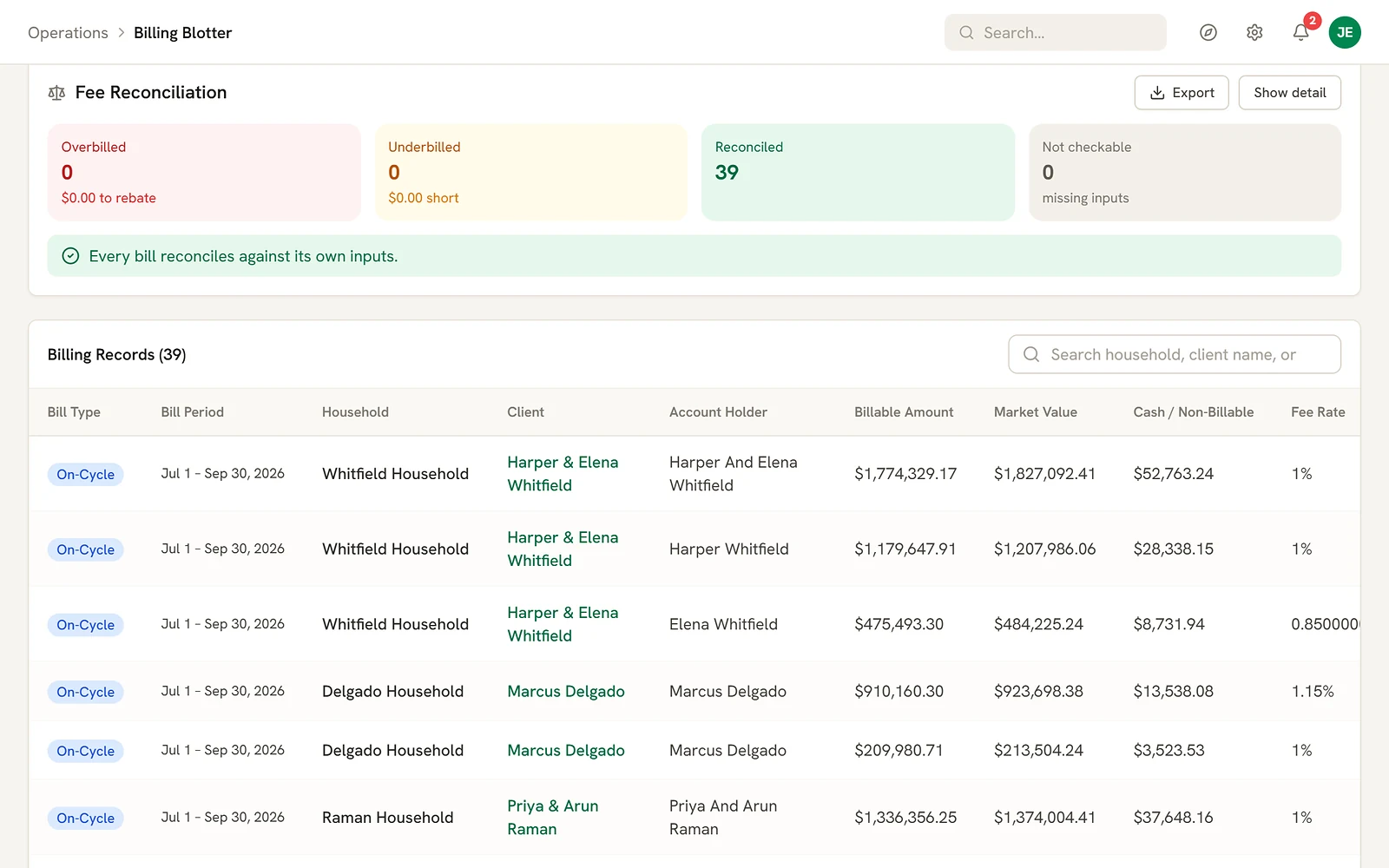
- Bills are drafted from your fee schedule for the quarter, on the balances you bill, with cash and non-billable assets set apart. Each bill is then checked against its own inputs.
- Result
- A fee record you can stand behind, line by line.
08 · Prospects and leads
From first contact to client, on one path.
- Usually
- Leads sit in one list, prospects in another, and the history gets lost when someone becomes a client.
- In Advorra
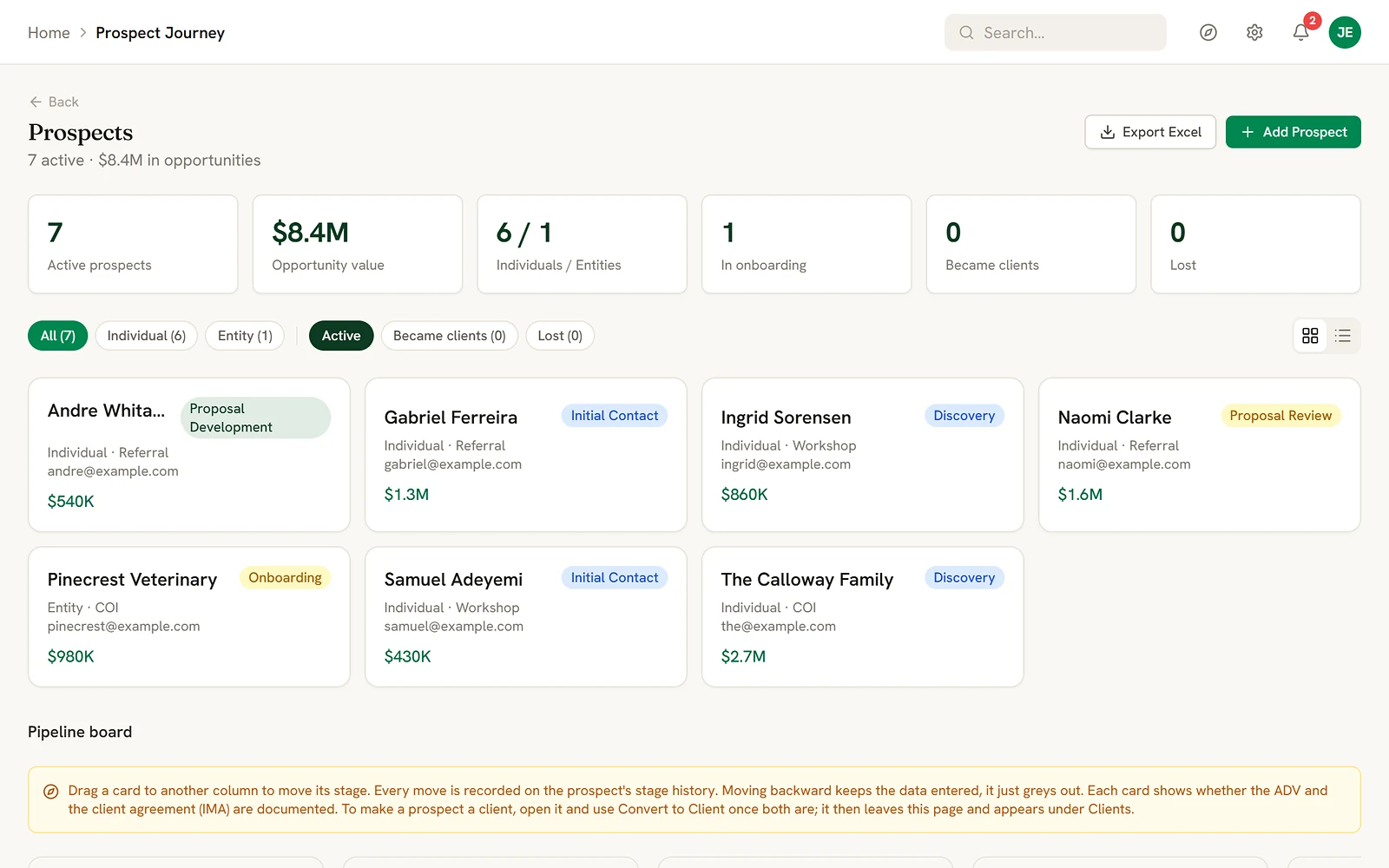
- Leads, prospects and clients share one record. Prospects move through stages on a board, each move is kept, and a new client's history comes with them.
- Result
- The value in your pipeline, and where every conversation stands.
09 · Daily work
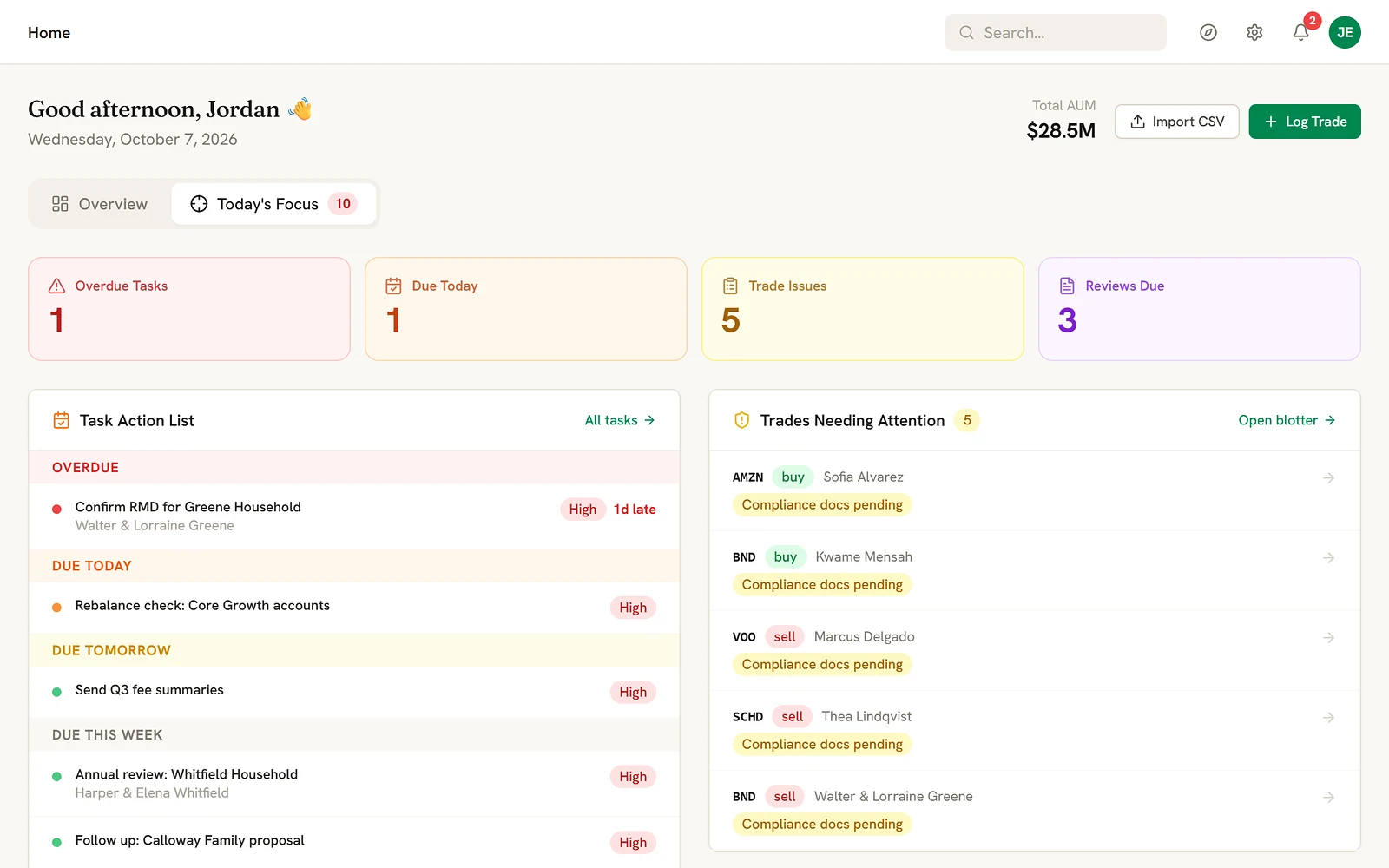
What needs you today, in order.
- Usually
- The day starts with a check of five places to see what is due.
- In Advorra
- Today's focus gathers overdue and due tasks, trades waiting on documentation and reviews coming due. Tasks and workflows, meetings and a decision journal sit alongside.
- Result
- The most pressing thing first, every morning.
10 · Built-in assistant
Ask it a question, or ask it to do the work.
The round button in the corner of every screen opens an assistant that knows your firm's records. It answers questions about your clients, trades and tasks, and can make the change for you: add the client, log the trade, set the task.
Nothing changes until you approve it.
Which active clients don't have an IPS yet?Answers
Add a task to call the Whitfields on Friday about their review.Creates a task
Log a buy of VTI for Marcus Delgado's IRA, rebalancing to Core Growth.Logs a trade
Import these leads from the spreadsheet I attached.Imports leads
Move Priya and Arun Raman to the Balanced 60/40 model.Assigns a strategy
It works across clients, accounts, tasks, trade records, prospects, leads, strategies, journal entries and meetings. Policy statements and billing it can look up for you; you change those on their own pages. It never places orders with your custodian.
11 · Set up for your firm
Your name on it. Your order to it.
We set Advorra up for each firm, in your brand color and with your logo. Try it here: pick a color and add your logo, and the screens on every page of this site take them on.
1 · Your brand color
2 · Your logo
PNG, SVG or JPG. It stays in your browser and is not sent anywhere.
3 · Tabs and pages in your order
Put the pages you use every day first and keep the rest out of the way. We arrange this with you when we set you up.
Direction
Where Advorra is headed.
The aim is one system for the practice, so a growing firm pays for one tool instead of five. We add to it in order, and turn on a part only when it is ready for real client work.
- Today
- The practice in one place: clients and households, accounts and returns, models, trading, policy statements, compliance records, billing and the prospect pipeline, on top of the custodian you already use.
- Next
- A fuller client record and the work around it, so the relationship management you pay for separately lives here too, with connections to your calendar and email.
- Later
- More of the planning side, added carefully. A new part goes live only when it can stand behind real client decisions, never before.
We share the detail of what is coming with firms we work with, not with the whole internet.
Questions
About the product.
Do I have to change my custodian or my CRM?
No. Advorra works from your custodian's account files, alongside the tools you already use.
What can the assistant do on its own?
Nothing without you. It reads your firm's records to answer questions, and when you ask for a change it shows you what it is about to do and waits for your approval.
Can it carry our own brand?
Yes. We set it up in your color and logo, and arrange the tabs and pages around how your firm works.
Can you move our data from our current CRM?
Yes. We'll help you migrate your data from your existing CRM, whether that's Redtail, Wealthbox or a spreadsheet. You send us your export, and we set up your clients and households with you as part of setup. There isn't a direct live connection to those CRMs yet.
Does it sync with our email and calendar?
Not yet. Notes, activities and client communications are kept in Advorra. Email and calendar sync are on our list of what we're building.
We're not in Texas. Do the compliance records still fit?
The compliance registers were built against Texas Chapter 116, and firms in other states use the same registers: complaints and incidents, discretionary accounts, personal securities, brochure delivery and procedures. Your compliance consultant decides what your state requires.
How do you handle client investment restrictions?
A client's restrictions are recorded in their IPS, which keeps every version. Accounts that shouldn't be traded can be put on hold, and the trade blotter flags trades outside the normal pattern for review.
See it with your own firm in mind.
We'll walk through Advorra on a call, around your custodian, your models and your routine.
Get in touchor write to hello@advorra.com